Piney Branch Elementary School

Viewing Grades in ParentVUE and StudentVUE for Elementary Schools
1. Log in to the ParentVUE/StudentVUE app.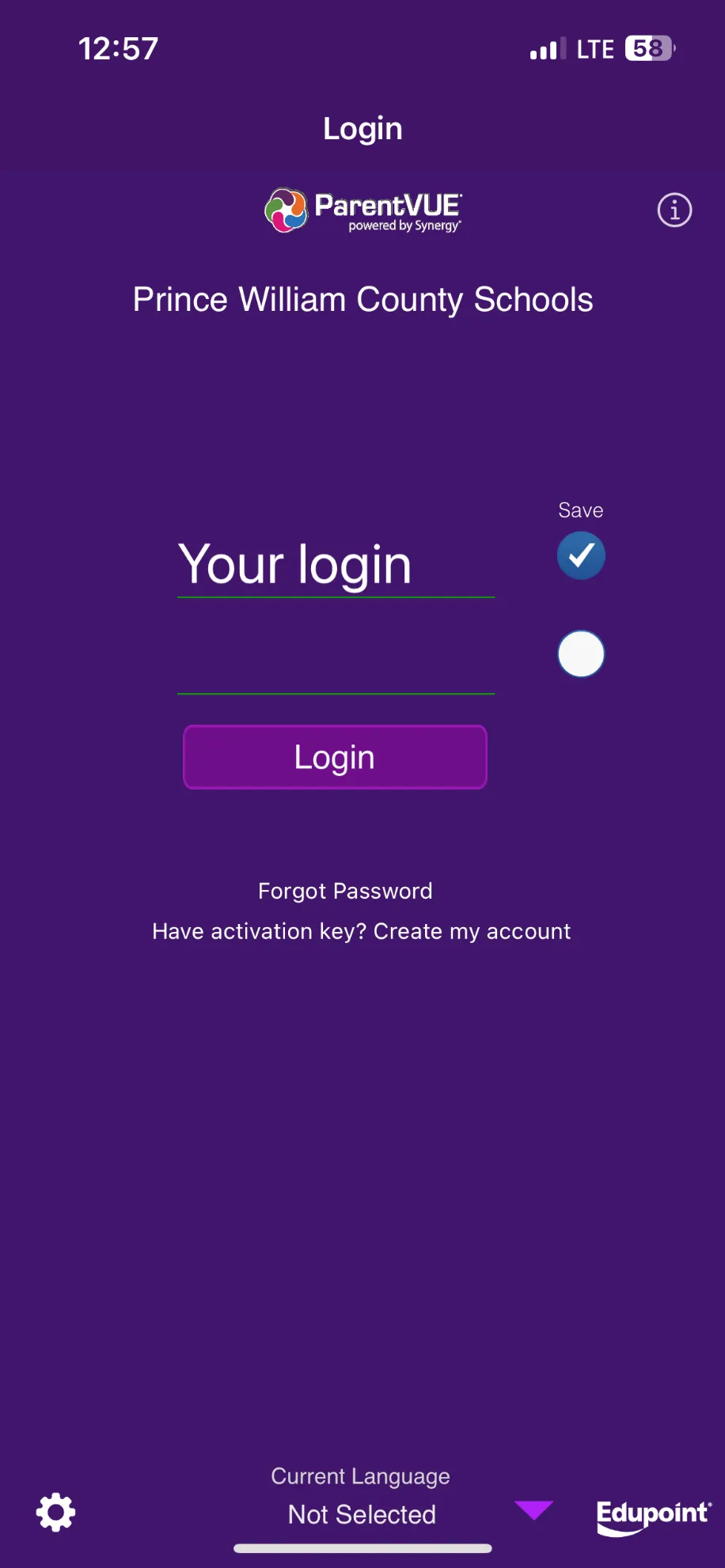
2. Select the desired student.
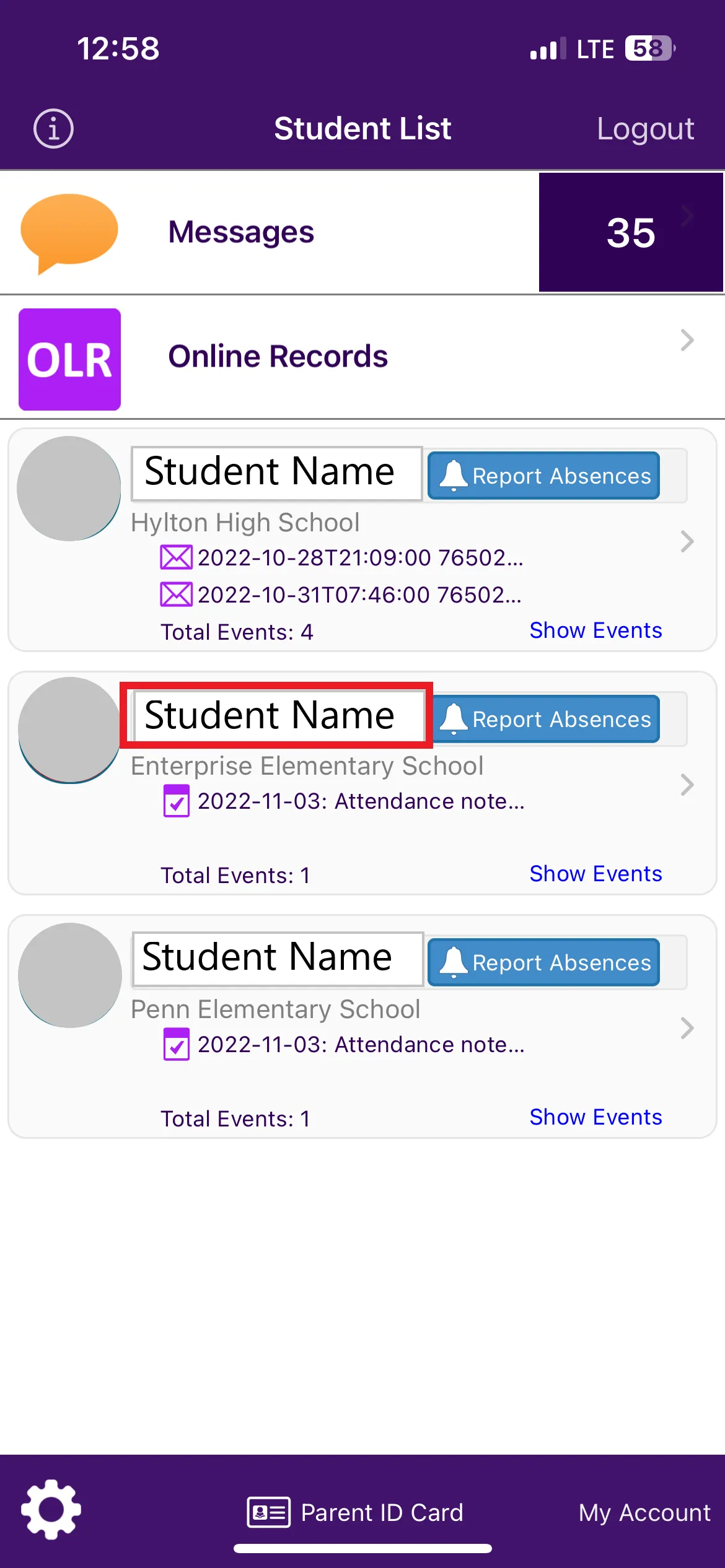
3. Select “Documents.”
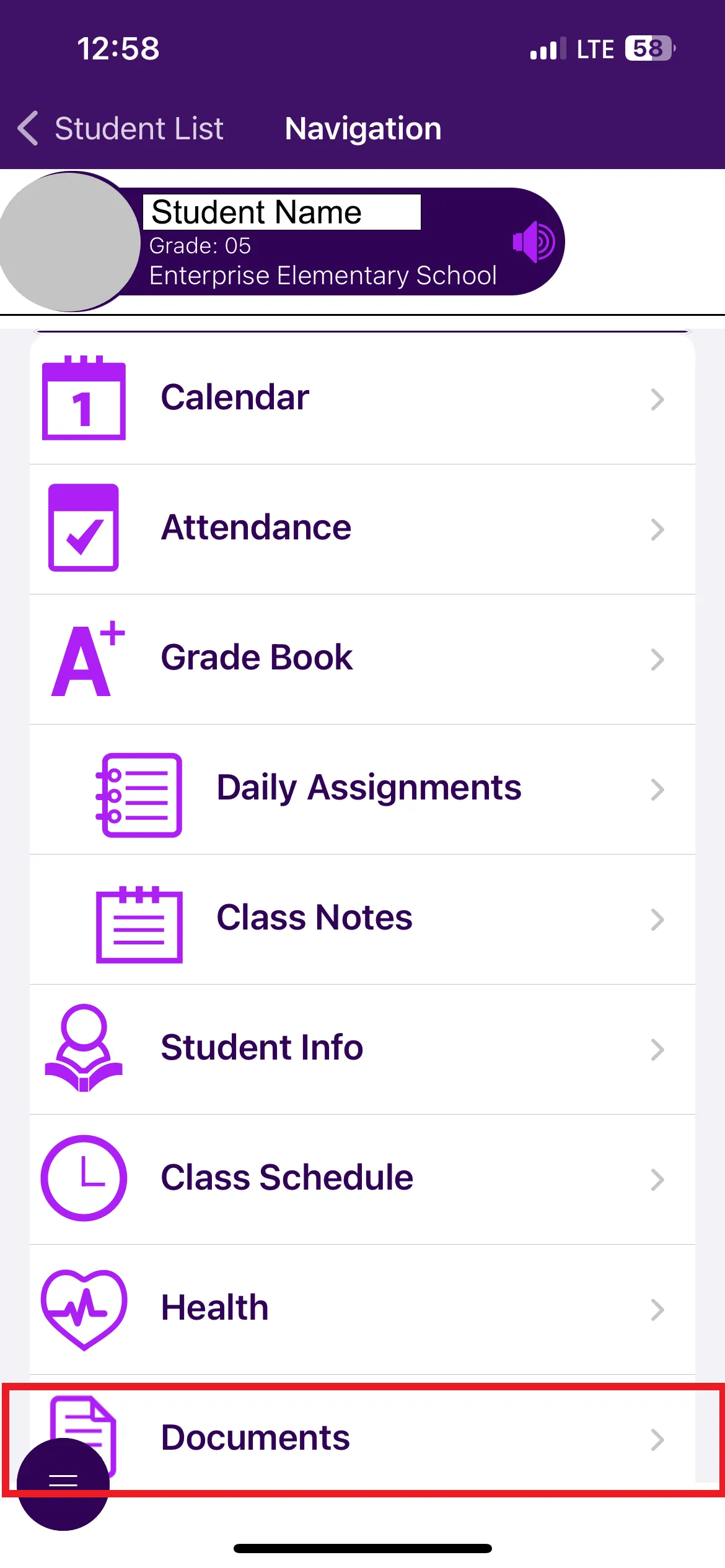
4. Select the PDF link for the desired report card.
1. Log in to the ParentVUE/StudentVUE app.
2. Select the desired student.
3. Select “Documents.”
4. Select the PDF link for the desired report card.